
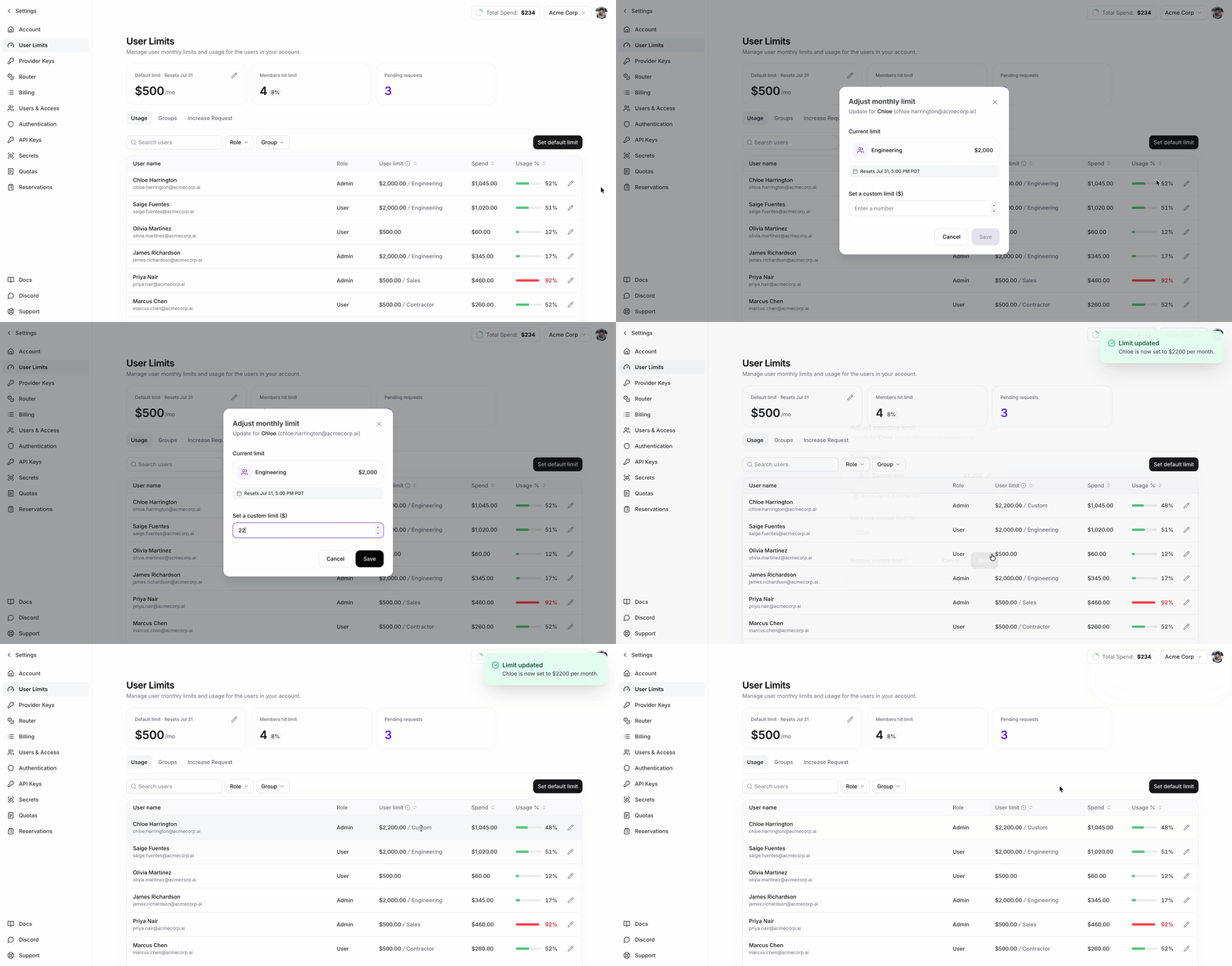
Set defaults, group limits, and exceptions
A user override takes precedence. If there is no override, the highest limit among the user’s assigned groups applies. If there are no group limits, the account default applies.
What happens when a user reaches the limit
- Spend counted toward the limit resets at the start of each billing period.
- After a user reaches their effective limit, requests to supported Fireworks serverless models return HTTP
402. - Raising the limit or starting a new billing period allows requests to supported Fireworks serverless models again after enforcement refreshes.
- Enforcement refreshes about once per minute, so changes can take 1–2 minutes in practice.
Manage limits and monitor spend
The User Limits page shows current-period spend, effective limit, and limit source for each user. Admins can set the account default, manage group limits, and set user overrides.Contact Fireworks to request access to per-user usage limits. Only admins can
change limits. Group limits also require SCIM group
sync.
firectl, and REST API examples, use Spend Limits Reference.