FireConnect is an open-source CLI that routes agentic coding harnesses through Fireworks models. Install once, sign in once, then flip any supported harness on or off without hand-editing config files. Choose where inference runs:
  • Direct Fireworks routing (default): the Fireworks gateway. Sign in with fireconnect login or use a Fireworks API key (fw_...) or Fire Pass key (fpk_...).
  • Fireworks on Microsoft Foundry: models in your Azure subscription, billed through Azure. See Microsoft Foundry.
New here? Install and sign in below, then open the harness guide for the tool you use. Try the side-by-side demo if you want to compare before switching.

Prerequisites

  • A Fireworks API key (fw_...) or Fire Pass key (fpk_...) for direct routing
  • For Foundry: Azure resource, API key, and deployment. See portal setup.
  • Node.js 18+
  • At least one supported harness installed locally

Install

The installer clones the CLI to ~/.fireconnect/cli, installs dependencies, and adds ~/.local/bin/fireconnect. It does not sign you in or write harness settings. After login, open your harness guide and run fireconnect <harness> on. You can also pass --api-key or set FIREWORKS_API_KEY instead of login.

Upgrade FireConnect

Or re-run the install curl above. On v0.9.0+, your harness stays connected; no need to run off first. Check the installed version with fireconnect --version. For older releases and CLI renames, see CLI reference: Migration.

Sign in

Fire Pass keys (fpk_...) work during login or on. FireConnect detects the key type and applies the correct defaults. See CLI reference: Sign in options for --with-token, --account, logout --revoke, and configure.

Choose your harness

After install and sign-in, open the guide for the tool you use. Each page covers on / off, models, and harness-specific notes.

Claude Code

Six model slots + interactive wizard

OpenCode

OpenAI-compatible adapter in opencode.json

Codex

OpenAI Codex CLI via the Responses API

Pi

Pi agent settings and auth

Cursor

OpenAI BYOK settings for Cursor IDE

VS Code

GitHub Copilot Chat custom endpoint

Deep Agents

LangChain Deep Agents Code (dcode)

Models

<harness> is one of: claude, opencode, codex, pi, cursor, vscode, deepagents. Full walkthrough: Models.

Harness support

Notes
  • Foundry: not on Claude Code yet.
  • Fire Pass: not on Codex or Foundry. FireConnect rejects --model firerouter with a Fire Pass (fpk_...) key on every harness; use an fw_... account key for FireRouter.
  • FireRouter: Cursor and Deep Agents need workspace BYOK.
  • Web search MCP: any harness via HTTP MCP; FireConnect auto-install is Claude Code only today. See WebSearch MCP.
  • Cursor / VS Code: quit the IDE before on or off. status is read-only.

FireRouter

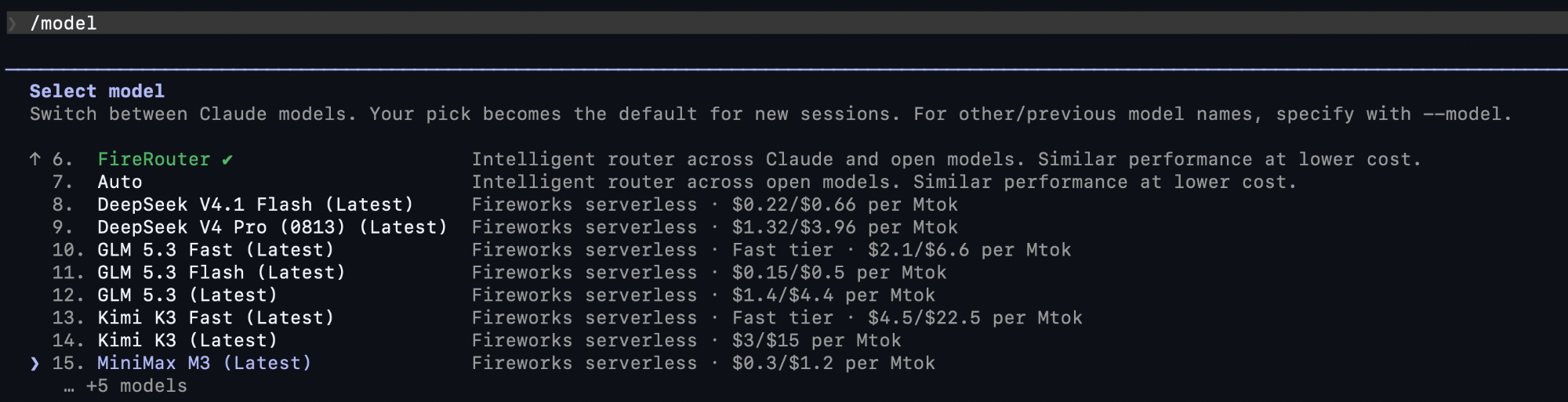
FireRouter automatically routes simple requests to cheaper open models and hard requests to Claude Opus 4.8. In FireConnect, select it like any other model:
Requires a standard Fireworks key (fw_...), not Fire Pass. Cursor and Deep Agents also need workspace BYOK. See the FireRouter overview and Harness support.

Source

FireConnect is open source: github.com/fw-ai/fireconnect

See also