
fireconnect login. The provider key stays with the account, so it is never distributed to developers or pasted into a chat. Fireworks encrypts it at rest and never shows it in full again.
Router availability in FireConnect varies by harness. See
Harness Compatibility for current support.
Provider Keys is an account-admin-only feature. You must be an account admin
to connect, replace, or remove a key, whether from the dashboard or through
firectl.Check provider support and connection states
- Providers: You can connect Anthropic and OpenAI in the dashboard. The API and
firectlalso accept Grok and Bedrock when enabled for your account. - One active key per provider: You can upload several keys for one provider, but only one can be active for routing at a time.
Connect a key in the dashboard
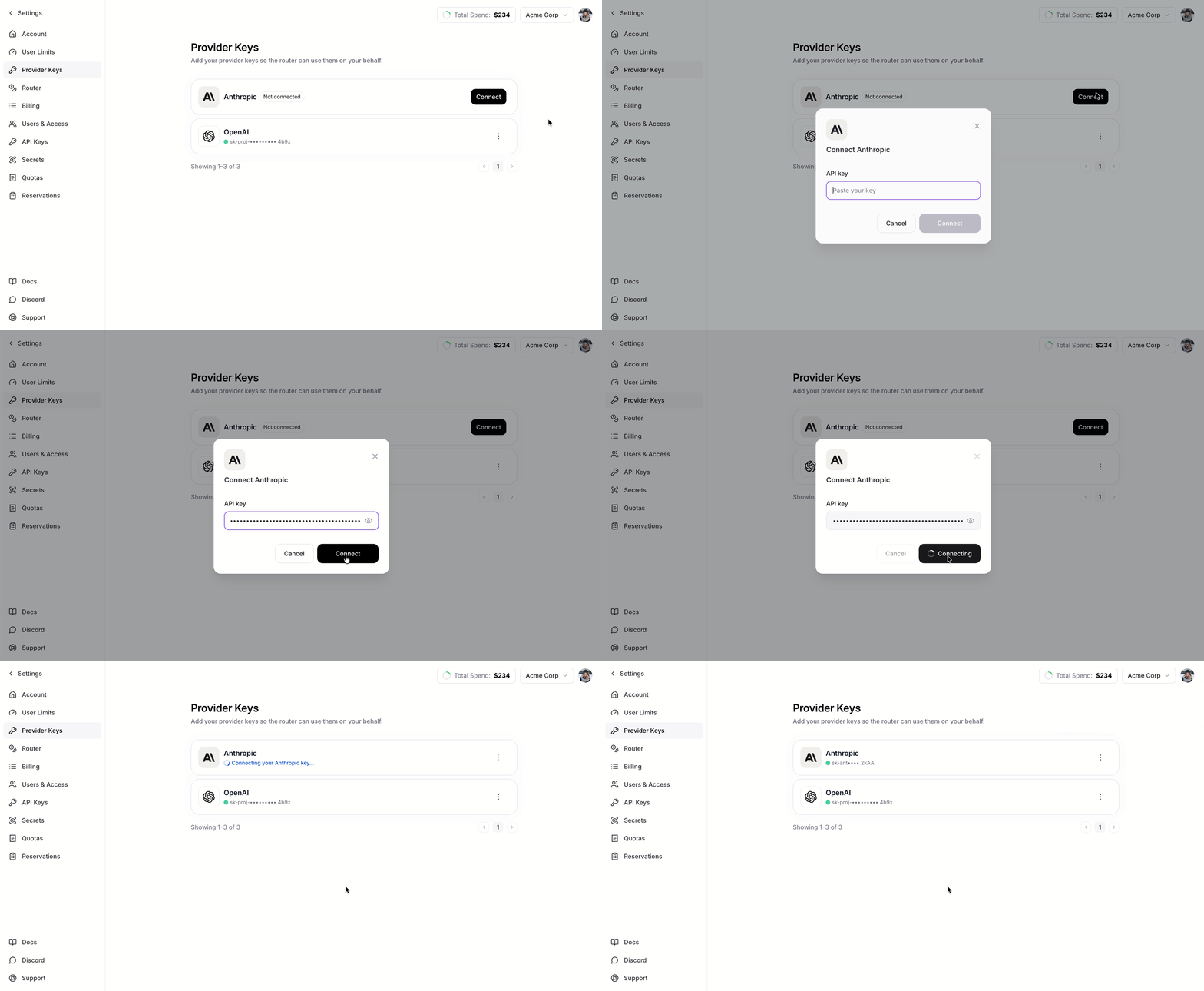
Connect a Provider Key from Settings without using a terminal.1
Open Provider Keys
Open Settings and go to Provider Keys.
2
Connect a provider
Find the provider you want (Anthropic or OpenAI) and click Connect.
3
Paste your key
Paste your key and click Connect. You will see a confirmation once it is saved.
Replace or remove a key
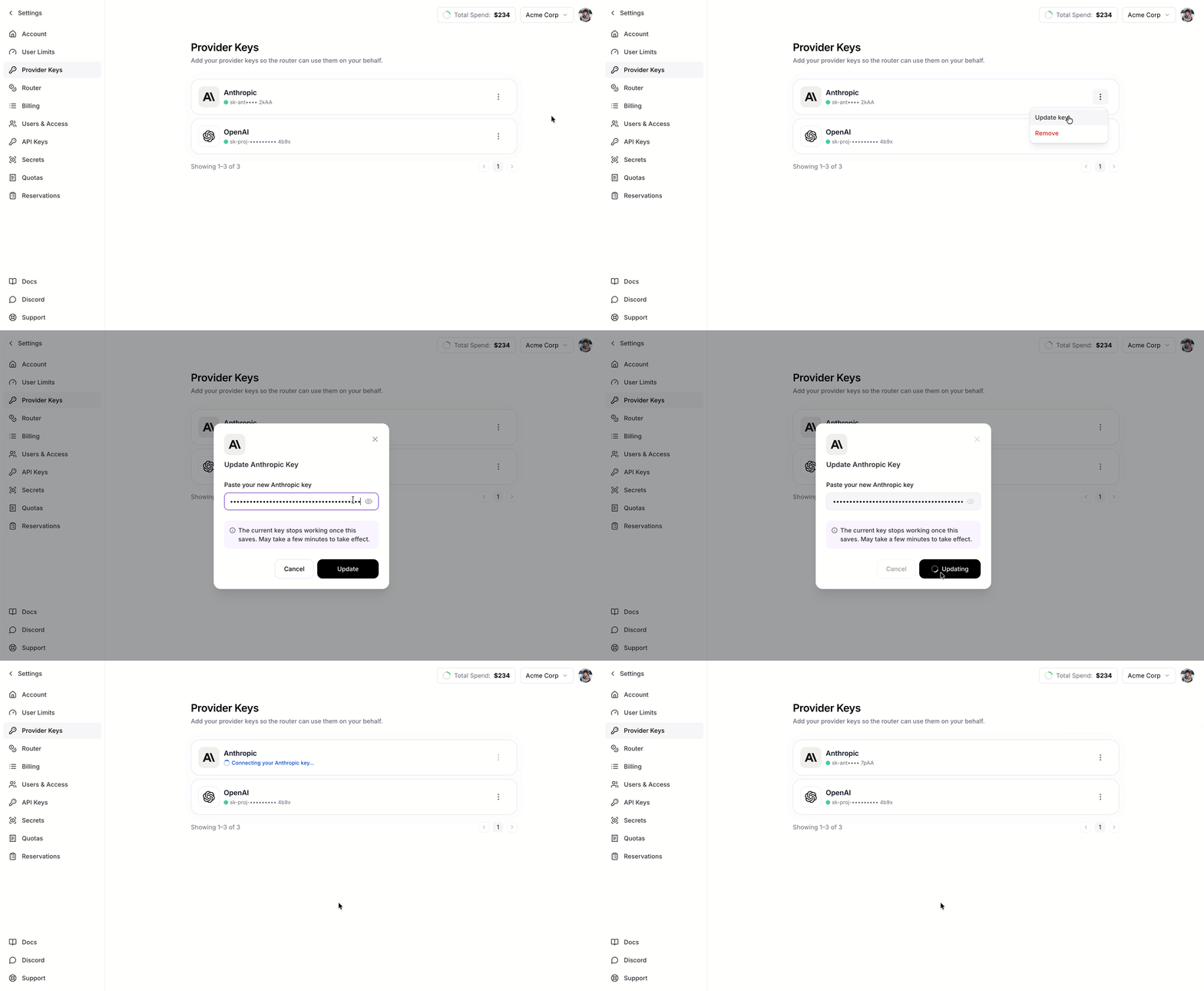
Open the menu on any connected provider to:- Replace: swap in a new key value for that provider.
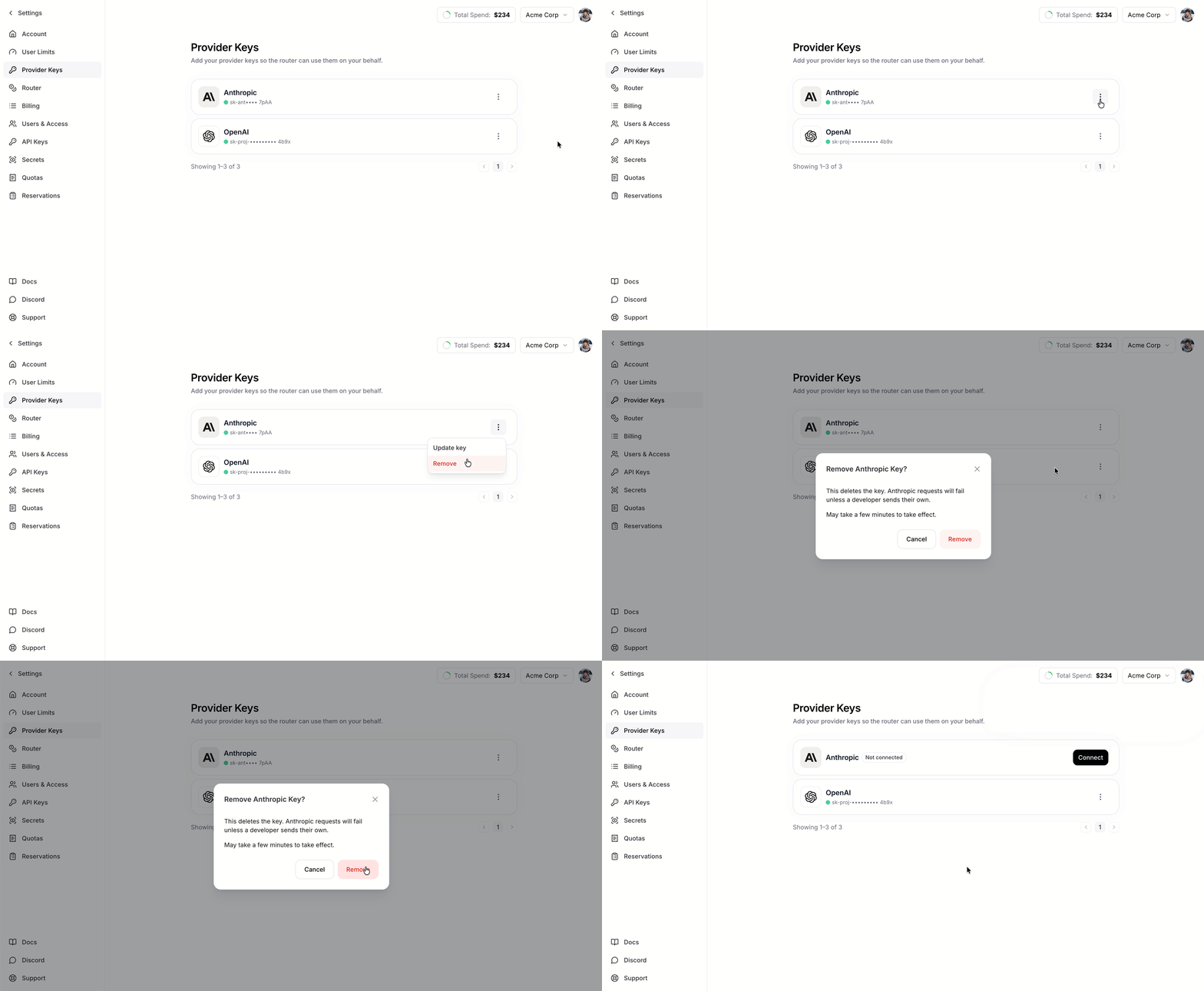
- Remove: remove the key.
Manage keys with firectl
You can also connect, replace, remove, and inspect Provider Keys with firectl. Use firectl provider-key to manage stored keys and firectl provider-key-binding to choose which key is active for routing. firectl firerouter-provider-key is an alias.
The CLI can also stop using a key for routing without deleting it (provider-key-binding unbind). The key remains stored, so you can bind it again without re-uploading it.
Add or replace a key
upload stores a key but does not make it active for routing. Use bind to make it active. --provider-type is required and accepts anthropic, openai, grok, or bedrock where enabled.
For the quickest setup, pass an environment variable to --api-key. This keeps the value out of your shell history:
--from-file. The file should hold only the raw key, with no JSON or quotes. firectl trims surrounding whitespace:
On a shared or multi-user machine, prefer
--from-file. The shell expands
$ANTHROPIC_KEY before firectl starts, so --api-key keeps the key out of
your shell history but still exposes it in the process list (ps) while the
command runs. --from-file passes only the path.Check status
provider-key list shows each stored key’s ID, provider, masked preview, and display name. provider-key-binding list and get show each provider’s connection state and active key_id.
Delete a key
Use thekey_id from upload or provider-key list. If that key is live for the provider, unbind it first. Unbind stops routing from using it; the key stays stored until you delete it.
Key behavior and security
- An explicitly provided key on a request takes precedence. If a request already includes a provider key, that key is used and the stored one is skipped.
- Changes are not instant. After you connect, replace, or remove a key, allow 30–60 seconds for the change to reach requests.
- Your key stays private. The full key is stored securely and never returned. The dashboard and API only show the provider, state, masked preview, and dates.