
- Setup follows the same admin workflow as Provider Keys, plus a Bedrock model ID and region for each model.
- Fireworks stores the credential.
Supported models
- Copy the Bedrock model ID exactly from AWS. Any geo or global profile, or ARN, that AWS lists for the model also works if your region can invoke it, unless your account uses US data residency (below).
- Supported regions:
us-east-1,us-east-2,us-west-1, andus-west-2.
US data residency
If your Fireworks account enforces US data residency, each route must keep requests in the US:- Use a
us.inference profile, such asus.anthropic.claude-opus-5-5, or an in-Region model ID with no geo prefix. global.profiles are rejected, even in a US region, because AWS can serve them from any region. Requests to that model return403withreason_code: residency.- A model with only a
global.profile on Bedrock, such as GPT-6 Sol, can’t be served on Bedrock for your account.
Prepare AWS
In the AWS account that pays for inference, request or verify access to each model. Complete any use-case form, Marketplace agreement, or provider approval AWS asks for, then confirm the account can invoke the model or inference profile. Then create one credential, either an IAM role or an API key.- IAM role
- API key
1
Configure the trust policy
In AWS IAM → Roles → Create role, choose Custom trust policy and paste this. Set 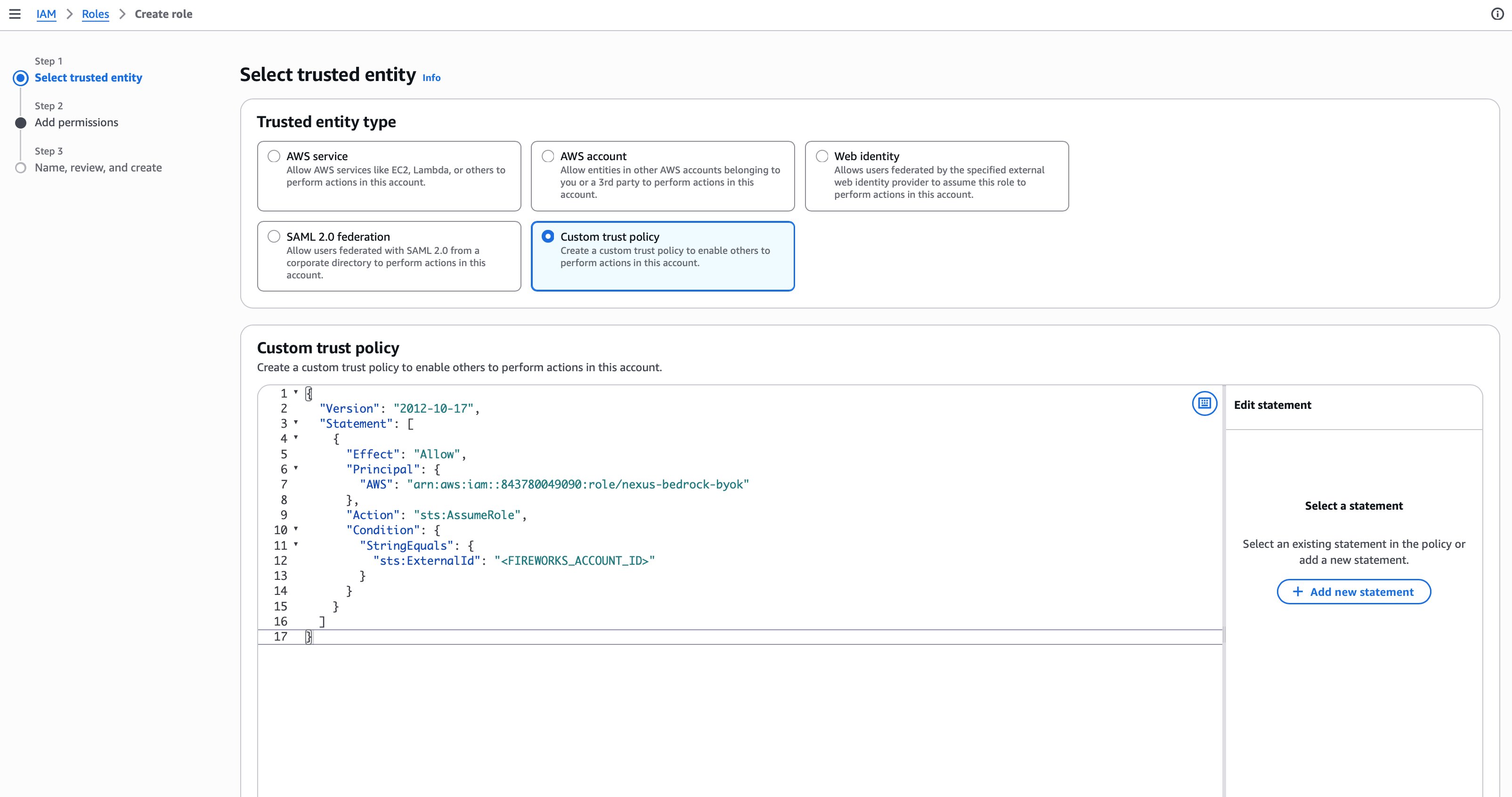
sts:ExternalId to your exact Fireworks account ID.2
Add Bedrock permissions
In Step 2: Add permissions, select Create inline policy and paste:
3
Create the role
Name the role
FireworksBedrockBYOK, or any name that starts with FireworksBedrock. Keep the default IAM path. Create the role, then copy its ARN from the role summary.Connect in the dashboard
1
Connect the credential
Open Settings → Provider Keys and click Connect on the Amazon Bedrock row.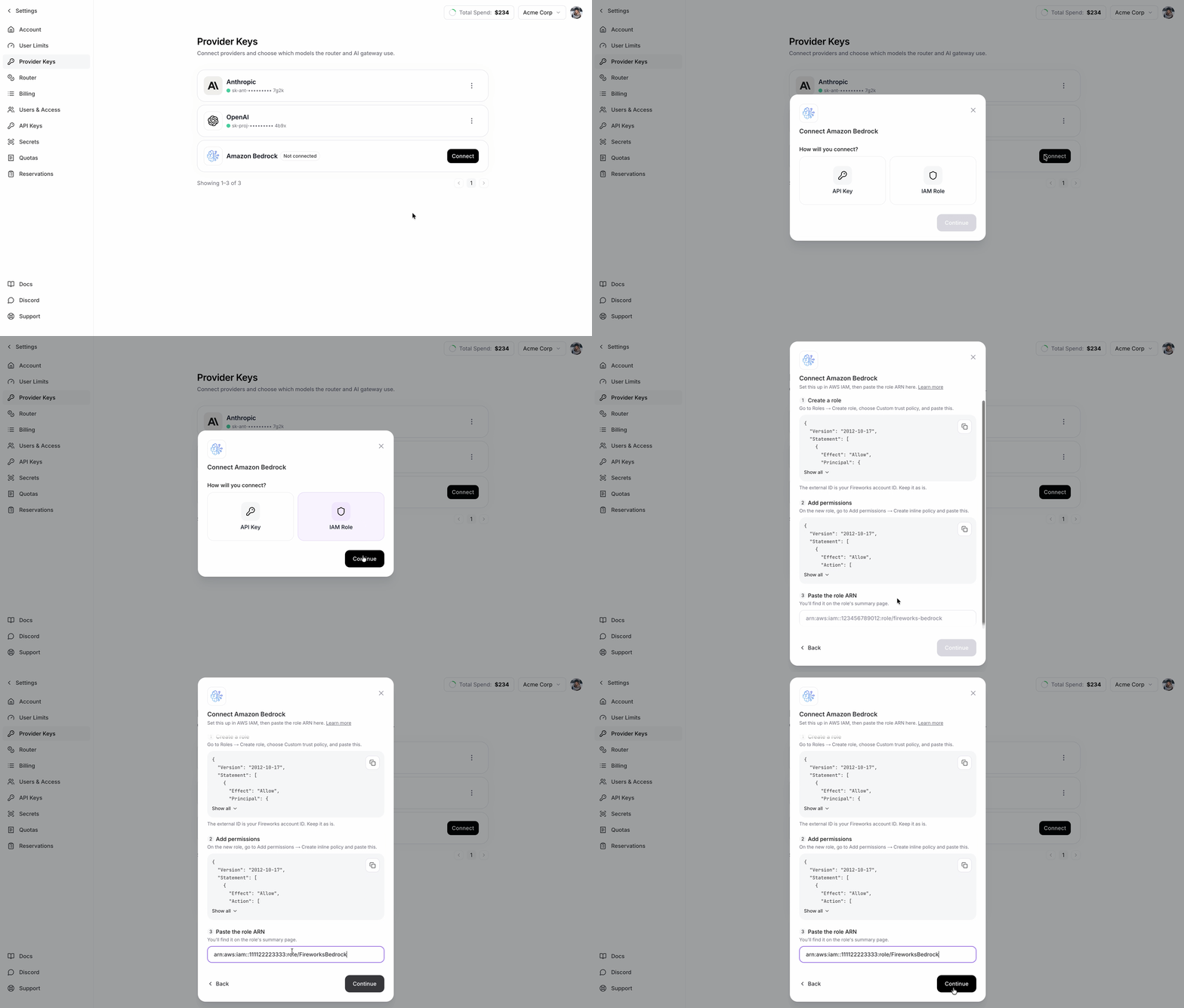
- IAM Role: keep the External ID exactly as shown. Paste the role ARN, not the permission policy ARN.
- API Key: paste the Bedrock key.
2
Pick models
In Add models to Amazon Bedrock, select at least one model, then click Connect. The card shows Connecting for about a minute.
3
Fill in the model routes
Connecting stores the credential but routes no traffic yet. For each row under Models using Bedrock, paste the AWS Model ID, select a Region, and click Save.Traffic for those models now bills to your AWS account. Every other model keeps its current provider.
Change model routes later
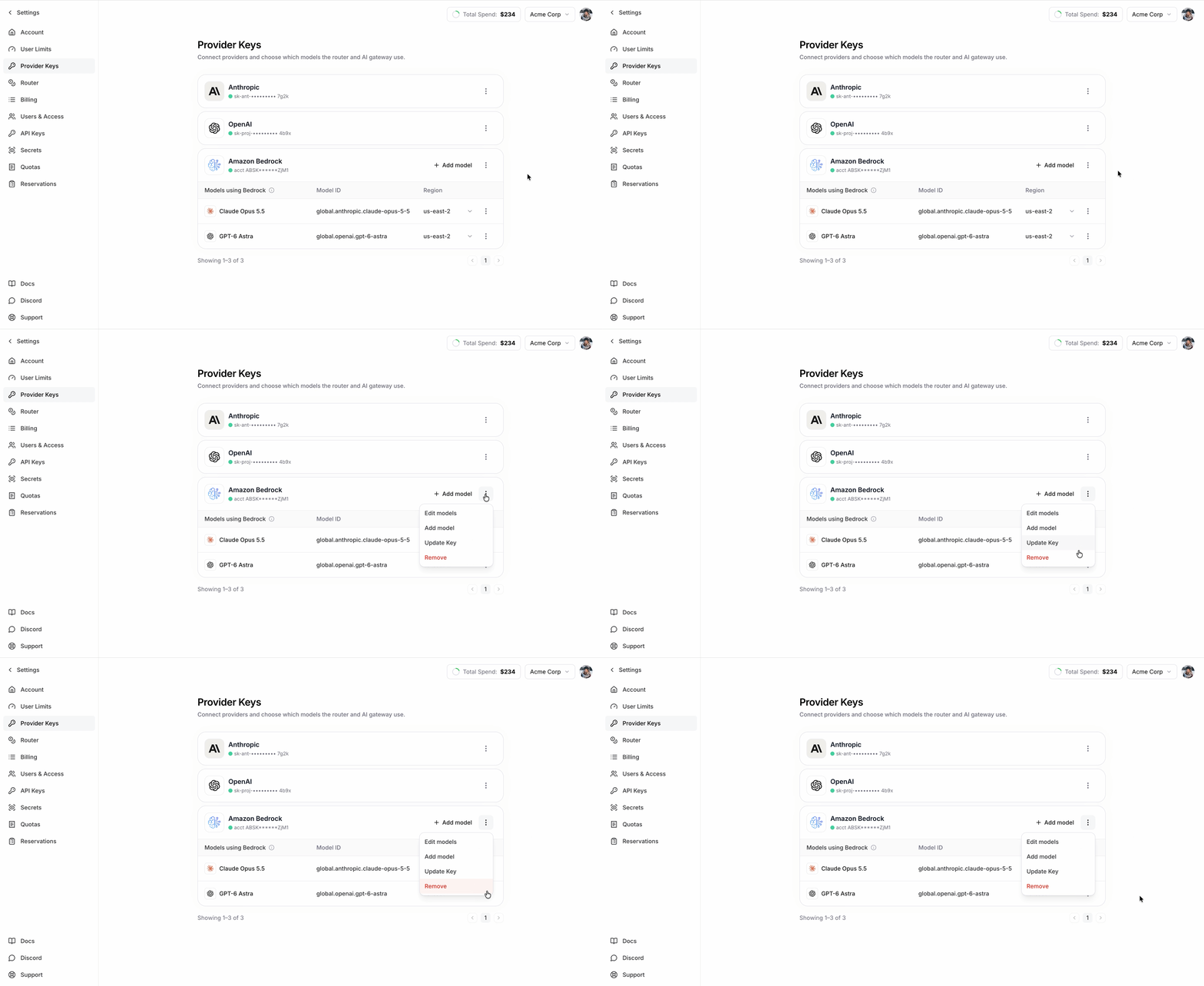
- Add model or the trash icon adds or removes a model. Edit models changes a Model ID or Region. Then click Save.
- Update Key replaces the API key or IAM role ARN and keeps the routes. This is the Replace action on Provider Keys.
- Remove deletes the Bedrock credential and all its routes.
Manage with firectl
firectl is the older way to set up Bedrock and remains supported for existing route files and scripts. For new setups, use Provider Keys in Nexus settings.
Troubleshooting
- AssumeRole is denied (IAM role): the trust policy needs the exact Fireworks principal ARN and your Fireworks account ID as
sts:ExternalId. The role name must start withFireworksBedrockand use the default IAM path. - Model not found or region unavailable: copy the exact model or profile ID from AWS, and confirm the region can invoke it.
403withreason_code: residency: your account uses US data residency and the route uses aglobal.or non-US profile. Switch it to aus.profile. See US data residency.- Connected but traffic doesn’t reach Bedrock: make sure the route list isn’t empty and requests use a route containing one of the configured served model IDs.