
- Only account admins can connect, replace, or remove a key.
- A connected key works in every coding harness, including Cursor IDE, the Copilot App, and Claude Desktop.
- Fireworks encrypts keys at rest and never shows them in full again.
- Every Nexus plan includes Provider Keys: Pro, Team, and Enterprise. A developer can also use their own key, saved with
nexus autoor sent as a request header.
Supported providers
Connect a key
1
Open Provider Keys
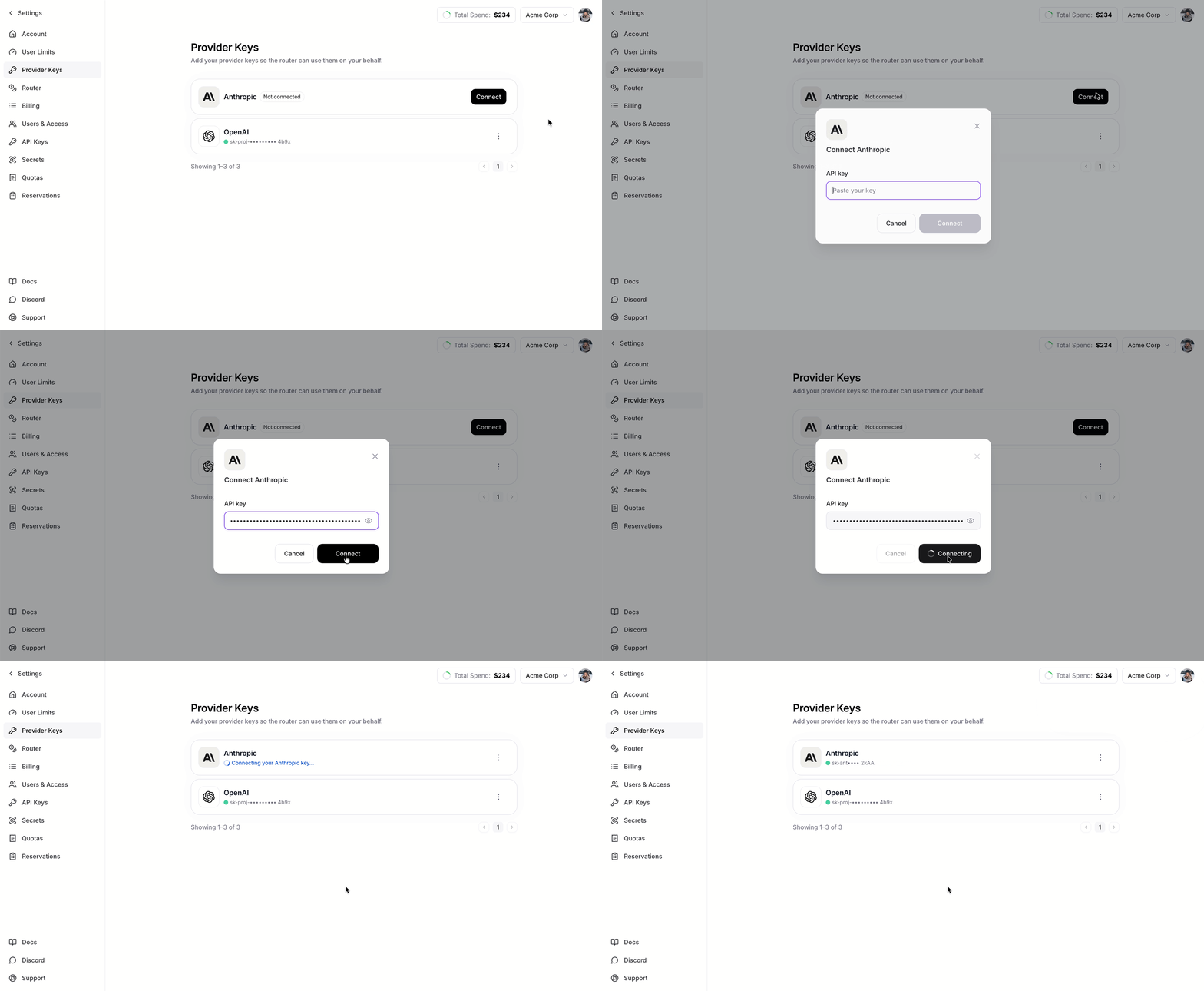
Open Provider Keys in Nexus settings.
2
Connect a provider
Click Connect next to Anthropic, OpenAI, or Amazon Bedrock, and paste your key. For Bedrock, follow Amazon Bedrock Setup.
Replace or remove a key
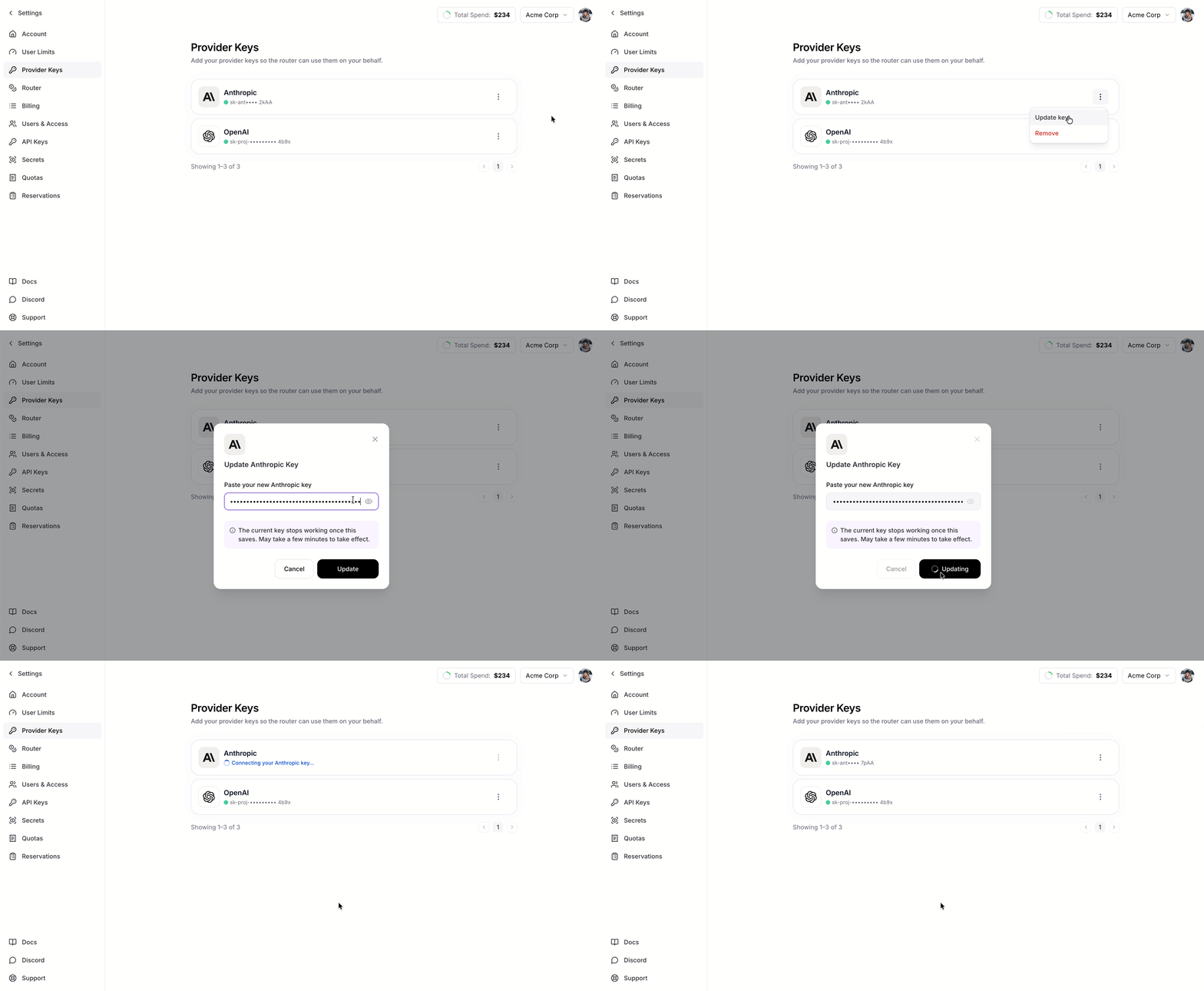
Open the menu on a connected provider:- Replace swaps in a new key. Bedrock routes stay in place.
- Remove disconnects the provider. For Bedrock, this also deletes its routes.
Manage keys with firectl
firectl is the older way to manage Provider Keys and remains supported for existing scripts. For new setups, use Provider Keys in Nexus settings.
If you haven’t used
firectl before, start with Getting started.
Key behavior and security
- A key sent with a request wins. If a request includes its own provider key, Nexus uses that key instead of the stored one.
- Keys stay private. The dashboard and API show only the provider, state, a masked preview, and dates for each key.