
- Spend limits are part of Nexus Enterprise.
- Only admins can change limits.
- Group limits also require SCIM group sync.
Set defaults, group limits, and exceptions
Limit precedence
When a user has more than one limit, the first match wins:- Their user override.
- The highest of their groups’ limits. A group limit below the account default still wins.
- The account default.
Group limits
A group limit caps each member, not the group. On a $500 group limit, each member can spend up to $500. Groups come from your identity provider through group provisioning. Manage groups and members in your directory. In Fireworks, you only assign each group a limit.Supported models
Limits apply to serverless models in the account’s metering configuration. Dedicated deployments aren’t included.Manage limits and monitor spend
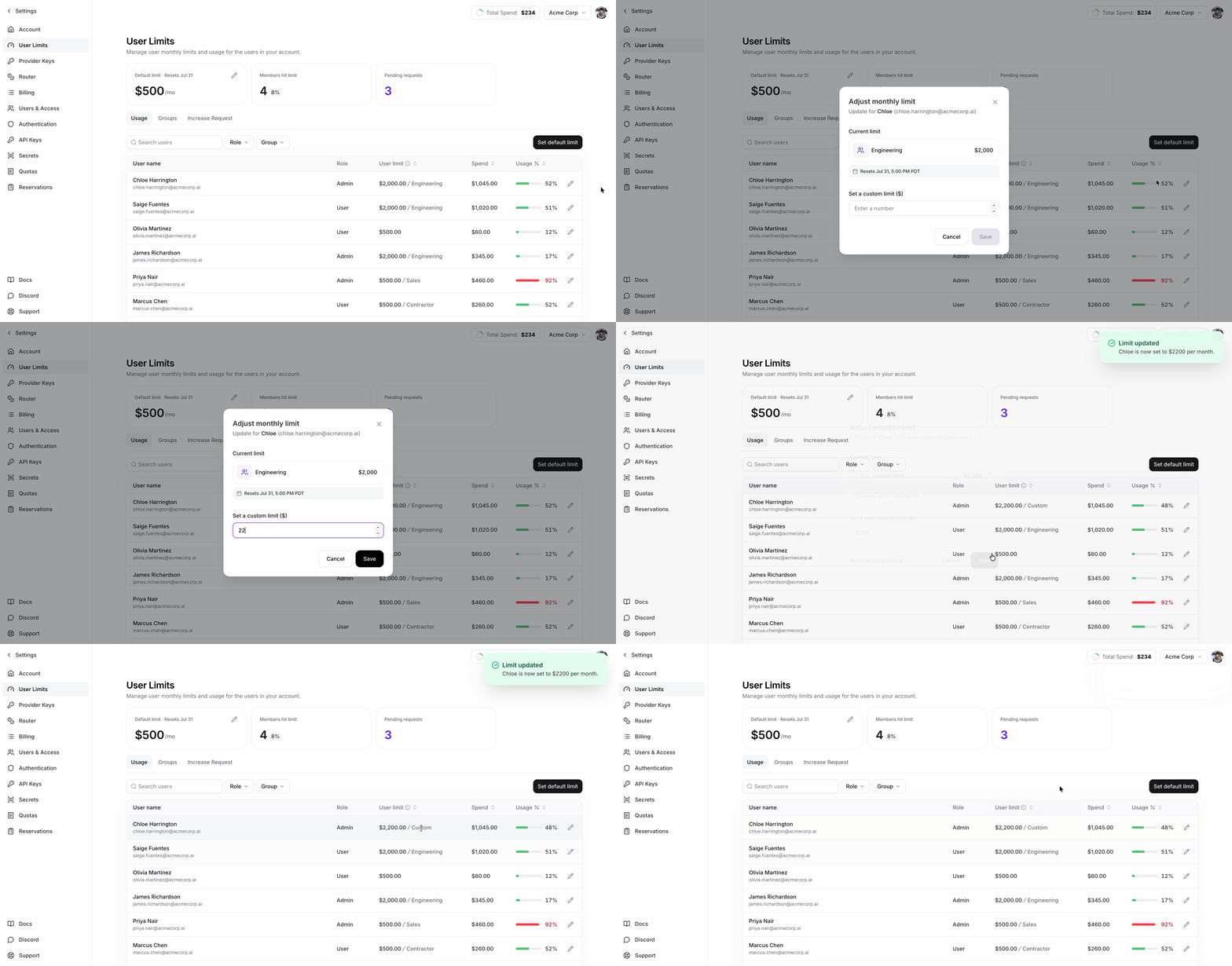
The User Limits page shows each user’s current-period spend, effective limit, and where that limit comes from. Admins set the account default, group limits, and user overrides there. If an admin approves an increase request above a user’s current limit, Fireworks creates a user override at that amount. Approval never lowers a limit.What happens when a user reaches the limit
Requests to supported serverless models return HTTP402 until an admin raises the limit or the billing period resets. Changes take effect within 1–2 minutes.
Using firectl
firectl is the older interface for spend limits and remains supported for existing scripts. For new setups, use the User Limits page in Nexus settings.